Free
Keep awake for as long as you choose.
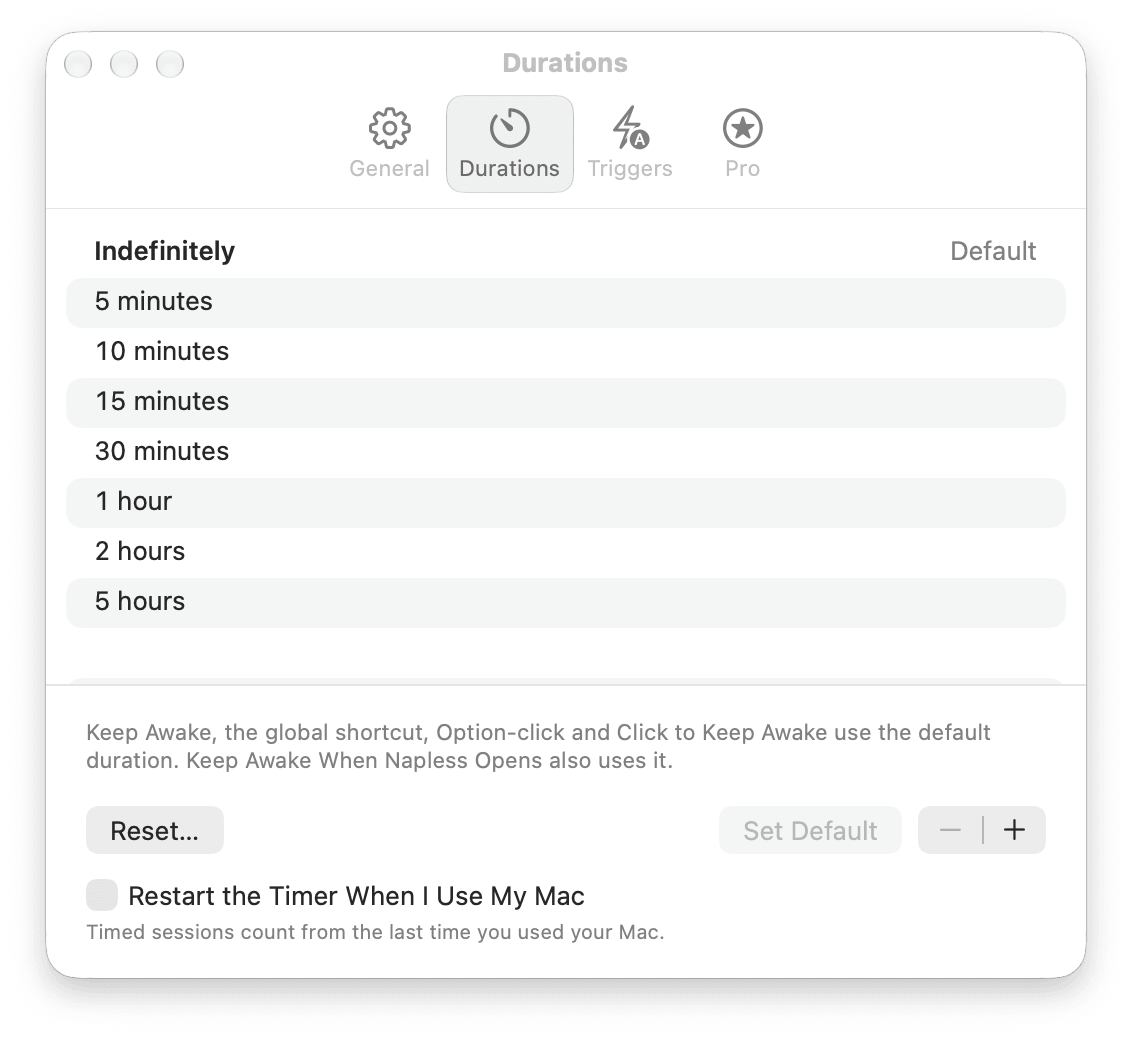
Pick a duration or a time of day from the menu. Add 15 minutes without starting over.
New Napless 1.2
Napless keeps your Mac awake through downloads, calls, builds and AI agent runs. When the work is done, your Mac sleeps again.
macOS 13 or later · Apple silicon and Intel · Signed and notarized by Apple
 Claude Code
 Codex
Codex Gemini CLI
Why Napless
The download
You walk away from an 8 GB download. You come back to a sleeping Mac and a failed transfer.
The agent run
Your coding agent is halfway through a refactor when the display dims and the Mac goes to sleep.
The meeting
You are presenting, or just listening, and your status flips to away in the middle of the call.
Napless keeps your Mac awake for exactly as long as the work takes, shows you what it is holding and why, and lets the Mac sleep the moment it's done.
Free
Pick a duration or a time of day from the menu. Add 15 minutes without starting over.
Free
Free
Pro
Pro
Any app using the mic or camera counts, FaceTime included.
Pro
$ napless run -- make releasePro
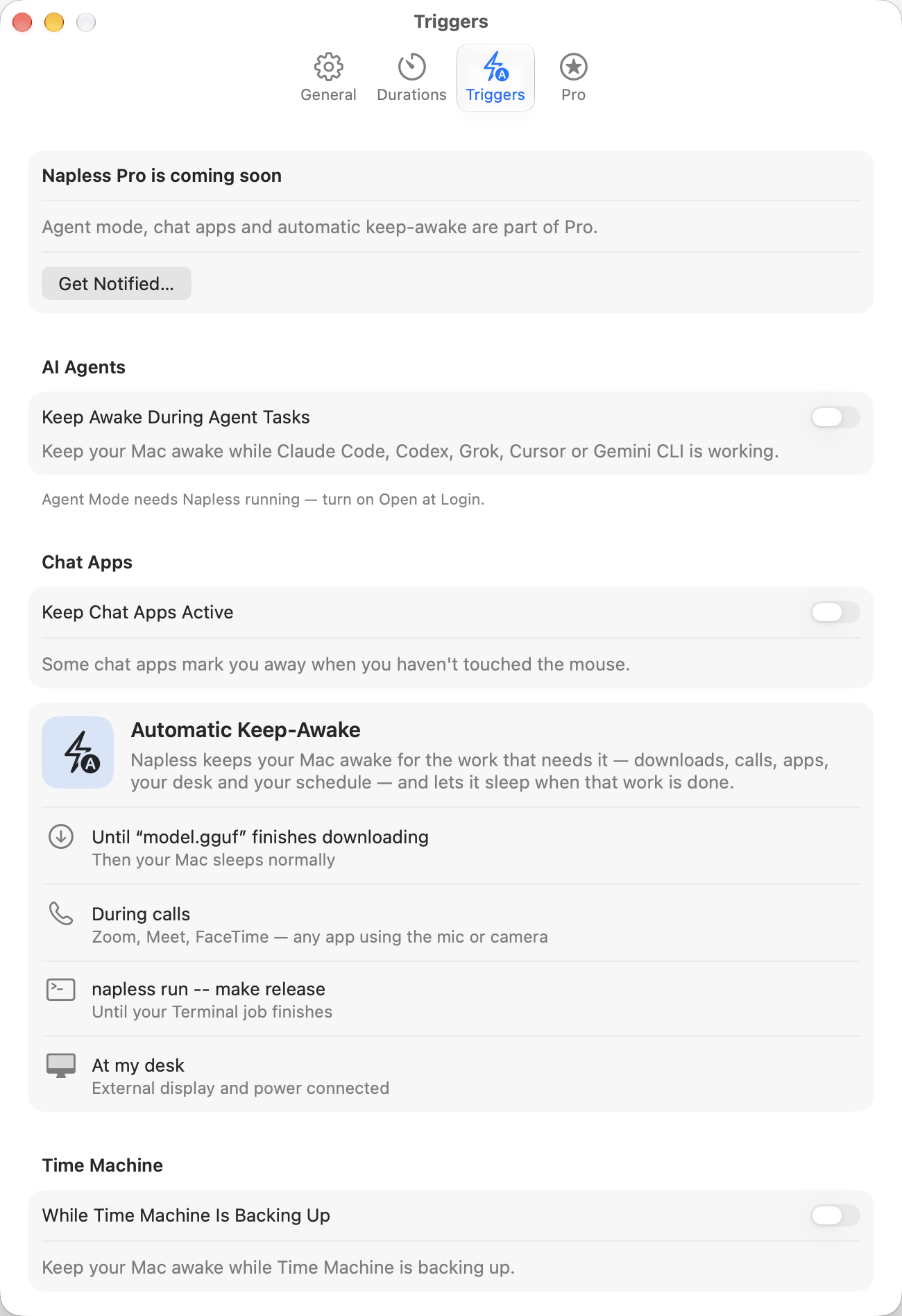
Set the conditions once. Napless starts and stops on its own, and the menu always says why.
Pro
Napless actions work anywhere you automate your Mac.
Free
On by default.
Free
You pick the floor.
Free
Record your own global shortcut.
Agent mode Pro
Napless installs small hooks into your coding agents. The Mac stays awake while an agent is working on a turn, and goes back to normal when it stops to wait for you.
Claude CodeWhile a turn runsCodexWhile a turn runsGemini CLIWhile a session is opennapless run -- <command> keeps the Mac awake until that command exits.Honest status Free
An icon can say awake while the Mac sleeps anyway. Napless checks that macOS is really holding the Mac awake. When it isn't, the menu turns orange, says what happened, and offers a fix.
$ napless doctor
[ok] Keep Awake: On
[ok] Protection: Verified
[ok] Incidents: 0 recorded
[ok] Claude Code hooks: Installed
[ok] Codex hooks: Installed
[ok] Closed-lid mode: coming in an update
[ok] Managed Settings: 0 managed keys
The same checks from Terminal, with --json for scripts.
Designed for macOS
Native Settings, the system font, Light and Dark Mode, full keyboard access and VoiceOver labels. No account to create.
Safe by design
On by default. Automatic keep-awake resumes after the Mac cools for 5 minutes.
Pick the floor. Napless ends keep-awake before the battery runs out.
A 15-minute session means 15 minutes after you last touched it.
No analytics, no ads, no account.
Triggers, watches and history are stored locally. The only network call is the update check.
Hardened runtime. Updates are signed and verified before they install.
For IT Free
Napless settings can be managed with a configuration profile. Forced settings are enforced inside the app, and people see Managed by your organization next to them. Turn off agent mode, chat presence or the Time Machine trigger for the whole fleet with one key.
<!-- com.apple.ManagedClient.preferences · run.bundl.napless -->
<key>NAPStopWhenHot</key>
<true/>
<key>run.bundl.napless.BatteryCapacityThresholdEnabled</key>
<true/>
<key>run.bundl.napless.BatteryCapacityThreshold</key>
<real>30</real>
<key>NAPDisableChatPresence</key>
<true/>
Free and Pro
$7.99 one time
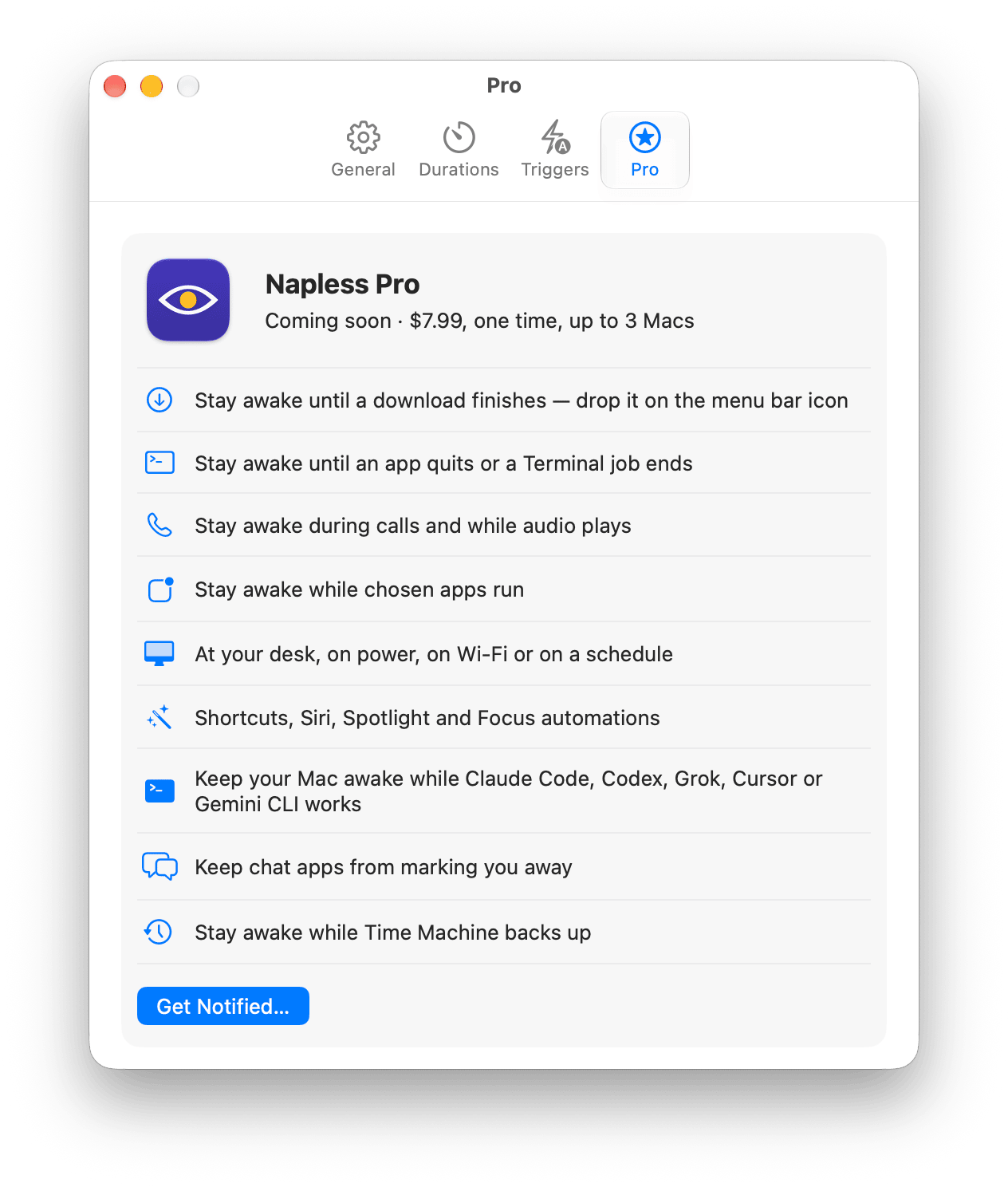
Automatic keep-awake, agent mode and chat apps. Use it on up to 3 Macs. No subscription.
| Feature | Free | Pro |
|---|---|---|
| Keep awake | ||
| Keep Awake For and Keep Awake Until | ✓ | ✓ |
| Time left in the menu bar | ✓ | ✓ |
| Global shortcut and Control Center control | ✓ | ✓ |
| Automatic | ||
| Downloads, calls and audio, chosen apps | — | ✓ |
| At your desk, on power, on Wi-Fi, on a schedule | — | ✓ |
| Until a file finishes, an app quits or a Terminal job ends | — | ✓ |
| While Time Machine backs up | — | ✓ |
| Shortcuts, Siri, Spotlight and Focus | — | ✓ |
| Work | ||
| AI agent mode (Claude Code, Codex, Grok, Cursor, Gemini CLI) | — | ✓ |
| Keep chat apps from marking you away | — | ✓ |
| Keep Awake With Lid Closed | — | Coming in an update |
| Trust and safety | ||
| Honest status, Check Health and napless doctor | ✓ | ✓ |
| Stop when hot, stop on low battery | ✓ | ✓ |
| Managed settings for IT | ✓ | ✓ |
Yes. Timers, Keep Awake Until, time left in the menu bar, the global shortcut, the Control Center control, honest status and the heat and battery safety stops are free, with no time limit.
Automatic keep-awake for downloads, calls, apps, your desk and a schedule; watches for files, apps and Terminal jobs; Shortcuts, Siri and Focus automations; AI agent mode; Keep Chat Apps Active; and the Time Machine trigger. Pro is $7.99 once for up to 3 Macs, and it is coming soon.
Yes, with Pro. Napless installs hooks for Claude Code, Codex, Grok, Cursor and Gemini CLI from Settings. Your Mac stays awake while a turn runs and goes back to normal when the agent waits for you. For any other tool, run napless run -- followed by your command.
Keep Chat Apps Active, a Pro option that is off by default, moves the pointer by one pixel and back once a minute while Napless keeps your Mac awake and you are idle. It needs Accessibility permission. Some workplaces treat tools like this as against their attendance policy, so check first.
Keep Awake With Lid Closed is coming in an update. It is being tested for safety on real Macs first: it will stop on heat, at a battery floor and after a time limit.
The app has no analytics, ads or account. It checks napless.io for updates, sending the app and macOS version. When Pro launches, activating a license contacts the payment provider.
Yes. Napless reads managed preferences from configuration profiles, so any MDM can force settings or turn off agent mode, chat presence and the Time Machine trigger. Managed settings show "Managed by your organization".
Napless runs on macOS 13 or later, on Apple silicon and Intel Macs.
Free to download. Ready in the menu bar in seconds.
macOS 13 or later · Apple silicon and Intel