Always-on Mac
How to keep a Mac mini awake 24/7 as a server or agent host
To keep a Mac mini on 24/7, open System Settings > Energy, turn on "Prevent automatic sleeping when the display is off", and set "Start up when power is connected" to After power failure. Turn on automatic login if FileVault allows it, then confirm with pmset -g and pmset -g assertions that nothing else puts the Mac to sleep.
On this page
- Why does a headless Mac mini go to sleep?
- Which Energy settings keep it awake?
- What does pmset sleep 0 change versus the Energy checkbox?
- How do you make it start up after a power failure?
- Should you use Low Power Mode on an always-on Mac?
- Can you reach it remotely while it sleeps?
- How do you confirm nothing is fighting the setting?
- How do you run AI agents or scheduled jobs on it?
Why does a headless Mac mini go to sleep?
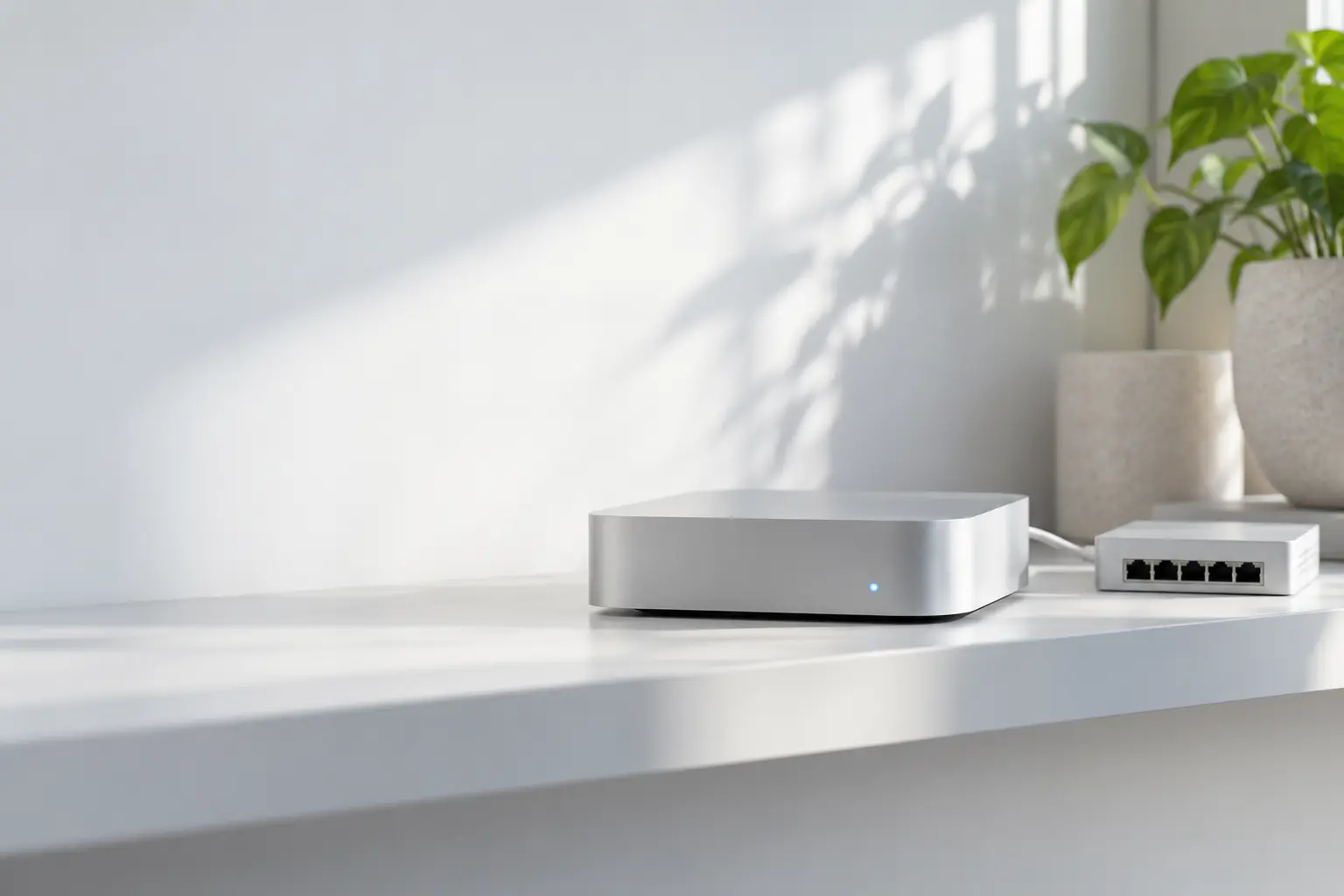
A headless Mac mini goes to sleep for the same reason any Mac does: nobody uses it, the display turns off, and no setting or process holds the system awake. Being a desktop does not exempt it from idle sleep.
Napless can hold the mini awake until you stop it, or automatically while a power adapter is connected, a schedule applies, or a local dev server is running. Try Napless free for 7 days.
You can see the display link on any recent Mac. On a MacBook Pro running macOS 27.2, pmset -g assertions listed powerd holding PreventUserIdleSystemSleep under the name “Powerd - Prevent sleep while display is on”. Once the display turns off, that hold is gone, and idle sleep can follow unless something else is set.
A home-server guide at hometechops reports that a Mac with no monitor is treated as having its display off, so the default idle timers fire even while services run. The same page says the Energy toggle that fixes this is off by default.
Idle sleep is not the only thing that takes a server offline:
- A power cut. The Mac stays off afterward unless it is set to start up again.
- A restart. Without automatic login, the Mac waits at the login window, and apps that run in your user session, including menu bar apps, do not start.
- Scheduled sleep or shutdown.
pmset -g schedlists any that are set.
Which Energy settings keep it awake?
Open Apple menu > System Settings, then click Energy in the sidebar. Turn on “Prevent automatic sleeping when the display is off”. The other rows below decide what happens after power problems and how the Mac talks to the network.
The descriptions in this table are quoted from Apple’s Energy settings page. Apple notes that some options may not be available, depending on your Mac.
| Energy setting | Apple’s description | For an always-on Mac |
|---|---|---|
| Prevent automatic sleeping when the display is off | “Prevent your Mac from going to sleep automatically when its display is off.” | On |
| Start up when power is connected | Never, After power failure (“if the computer was on before a power failure”), or Always | After power failure |
| Start up automatically after a power failure | “Start up your Mac after a power interruption.” (shown on some Macs instead of the row above) | On |
| Wake for network access | “Even in sleep mode, wake your Mac to provide access to shared resources, such as shared printers or Music playlists.” | On if you share files, printers or media |
| Low Power Mode | “Reduce energy usage for computers that are always on (such as those used as servers) and fan noise” | Your choice (see below) |
| Enable Power Nap | “Have your Mac check for email, calendar, and other iCloud updates while sleeping.” | Not needed on a Mac that never sleeps |
Apple’s sleep and wake page adds the cost: “delaying, preventing, or allowing disruption of sleep may increase power consumption.”
Let the display sleep. A headless Mac has no screen to keep lit, and the Energy checkbox is about the system staying up while the display is off.
What does pmset sleep 0 change versus the Energy checkbox?
pmset sleep 0 turns off the system sleep timer; the Energy checkbox is the documented System Settings control for the same goal. Both end up in one place: man pmset says “pmset modifies the same file that System Settings modifies”, stored at /Library/Preferences/SystemConfiguration/com.apple.PowerManagement.plist.
man pmset describes sleep as the “system sleep timer (value in minutes, or 0 to disable)”. The -c flag applies a value to charger (wall power), -b to battery, and -a to all sources. pmset must be run as root to change anything:
sudo pmset -c sleep 0Apple does not document which pmset value the Energy checkbox writes. If you want to know on your Mac, run pmset -g, flip the checkbox, and run pmset -g again.
Read the current values without changing anything:
pmset -gWhen something is holding sleep, pmset -g names it on the sleep line, for example sleep 0 (sleep prevented by powerd, caffeinate). The displaysleep line is a separate timer, so the display can still turn off while the system stays up.
Neither the checkbox nor sleep 0 stops a sleep you ask for. Apple menu > Sleep, pmset sleepnow and a scheduled sleep event still put the Mac to sleep.
Two related values matter less on a Mac that never sleeps. man pmset says hibernatemode is 0 by default on desktops, meaning memory is not copied to disk, and the Mac “will lose context on power loss”. standby hibernates a Mac after it has slept for a while and “defaults to ON for supported hardware”.
How do you make it start up after a power failure?
Set Energy > “Start up when power is connected” to After power failure. Apple’s Energy page says that choice will “Turn on your Mac when reconnected to power if the computer was on before a power failure”. Always turns it on whenever power is connected.
The matching pmset settings are autorestart (“automatic restart on power loss”) and autorestartatconnect (“automatic restart on power connect”), both listed in man pmset. Use System Settings unless you are scripting a fleet.
Starting up is only half of it. After a restart, a Mac without automatic login waits at the login window, so nothing in your user session runs.
To log in by itself, Apple’s automatic login article says to open System Settings > Users & Groups and choose an account from the “Automatically log in as” menu. It lists three reasons the menu can be dimmed:
- FileVault is turned on.
- The Mac is supervised by your organization with a profile that prohibits automatic login.
- The account uses an Apple Account password to log in.
For a server that is a trade-off. With FileVault on, someone has to log in after every power cut or restart before user-session apps start again. Decide which matters more for this machine: disk encryption, or unattended recovery.
If the Mac is on a UPS, Energy also has UPS Options. man pmset adds that UPS emergency shutdown settings (haltlevel, haltafter, haltremain) are “for desktop and server only”.
Should you use Low Power Mode on an always-on Mac?
Use Low Power Mode if the Mac mostly idles or serves light loads. Apple describes it as a way to “Reduce energy usage for computers that are always on (such as those used as servers)” and to reduce fan noise.
Apple’s Energy page does not say how much speed Low Power Mode costs. If the Mac runs builds, local models or agent sessions, try both modes and compare.
If you use Napless, check one setting. Napless Settings > General > Low Power Mode has “Stop keeping your Mac awake in Low Power Mode”, off by default, per Napless Help. Leave it off on a server you run in Low Power Mode, or Napless will stop holding the Mac awake.
Can you reach it remotely while it sleeps?
Partly: Wake for network access wakes a sleeping Mac for shared resources, but the safer plan for a server is to keep it from sleeping at all. Apple’s Wake for network access page says the Mac wakes when “a user at another computer accesses the shared resources of your Mac”. It also wakes “at regular intervals” to tell other computers its resources are available.
man pmset calls the same setting womp (“wake on ethernet magic packet … Same as ‘Wake for network access’ in System Settings”).
Apple’s examples are shared printers and Music playlists. Neither page promises a wake for SSH, a web server or an agent API. If remote access is the reason the Mac exists, turn on “Prevent automatic sleeping when the display is off” and don’t rely on wake.
ttyskeepawake helps while you are connected. man pmset says it prevents idle system sleep while any tty, such as a remote login session, is active, and that a tty only counts as inactive once its idle time exceeds the system sleep timer. It does not wake a Mac that is already asleep. Check its value with pmset -g.
How do you confirm nothing is fighting the setting?
Run four read-only commands: pmset -g for the settings in use, pmset -g assertions for the processes holding sleep, pmset -g sched for scheduled events, and pmset -g log for what happened. None of them needs sudo.
pmset -g
pmset -g assertions
pmset -g sched
pmset -g log | grep -E "Entering Sleep state|Wake from"- In
pmset -g, look atsleep,displaysleep,wompandttyskeepawake. - In
pmset -g assertions, the “Listed by owning process” section names each app or daemon holding the Mac awake. The guide to checking what is holding sleep explains each assertion type. - In
pmset -g sched, any scheduled sleep or shutdown will take the server down regardless of the Energy checkbox. To add wake events on purpose, see how to schedule wake events with pmset repeat. - In the log, any “Entering Sleep state due to …” line means the Mac slept. The quoted reason after it, such as
'Clamshell Sleep'or'Maintenance Sleep', says why. A Mac that wakes on its own has its own set of causes.
The hometechops guide also reports that “caffeinate can hold an assertion yet the machine still sleeps on some M4 minis”, and recommends the Energy setting as the primary fix. That is a third-party report, not something Apple documents and not something we reproduced. It is still a good reason to use the Energy checkbox as the base layer and check the log after the first night.
How do you run AI agents or scheduled jobs on it?
Turn on the Energy checkbox first, then start agents and jobs. A Mac that never sleeps runs cron, launchd and agent sessions on time without extra tools.
On a Mac that does sleep, the two schedulers behave differently. man launchd.plist says: “Unlike cron which skips job invocations when the computer is asleep, launchd will start the job the next time the computer wakes up”. Missed StartCalendarInterval runs are combined into one run at wake. StartInterval jobs whose time passes during sleep are missed.
AI coding agents differ in how much they do for themselves:
- Claude Code. Claude Code CLI 2.1.287 on macOS runs
caffeinate -i -t 300itself while it works, restarts it every 240 s, and releases 30 s after it goes idle. On a Mac mini with the Energy checkbox on, nothing more is needed. Without it, the Mac can idle-sleep between tasks. - Codex. Codex CLI 0.159 has an experimental, off-by-default “Prevent sleep while running” option in
/experimental. - Other agents. Wrap the command in
caffeinate -i, for examplecaffeinate -i ./run-agent.sh, so the hold lasts exactly as long as the process.
The guide to AI coding agents covers each tool in detail. For laptops and desktops alike, how to keep a Mac awake compares settings, Terminal and apps.
On an always-on Mac, Napless gives you a hold you can see and check. Napless’s default Keep Awake For duration is Indefinitely. Turn on Open at Login and Keep your Mac awake when Napless opens (off by default) so it starts holding after automatic login. Napless warns in the menu if macOS is not honoring the hold or if the Mac slept anyway, and napless doctor prints the same checks from Terminal. All of this is described in Napless Help.
Turn on While a Remote Login Is Open, and Napless keeps the Mac awake while someone is connected over SSH, mosh or Screen Sharing. That condition is included in the trial; after it, Napless Pro. On a Mac that installed Napless before 1.5.0, it stays with the free features they already had (Help). Napless Pro adds Agent Mode hooks, agent holds, napless mcp, more automatic conditions, a keep-awake schedule, Telegram and Slack alerts, and Insights. A new install includes those for 7 days. Napless Help says a schedule “does not wake your Mac from sleep”, so it is not a replacement for pmset repeat. Admins can preset these options with Napless managed settings, such as run.bundl.napless.ActivateOnLaunch. Prices and the Pro feature list are on the Napless Pro page. For the always-on hold, Try Napless free for 7 days.
Questions
Does a Mac mini sleep when no display is connected?
It can. A headless Mac mini follows the same idle-sleep rules as any Mac. Turn on Energy > Prevent automatic sleeping when the display is off so it stays up while nobody uses it.
What does sudo pmset -c sleep 0 do?
man pmset describes sleep as the system sleep timer in minutes, where 0 disables it, and -c applies the value to charger (wall) power. It writes the same preferences file that System Settings uses.
How do you make a Mac mini turn back on after a power cut?
In System Settings > Energy, set Start up when power is connected to After power failure. Some Macs show Start up automatically after a power failure instead.
Can a Mac mini log in by itself after a restart?
Yes, with Users & Groups > Automatically log in as. Apple says the option is dimmed when FileVault is on, when an organization profile prohibits it, or when the account logs in with an Apple Account password.
Do cron jobs run while a Mac sleeps?
No. man launchd.plist says cron skips jobs while the computer is asleep, while launchd StartCalendarInterval jobs run at the next wake.
Related guides